HealthFactory
What the app does
HealthFactory turns your Apple Health data into analyses in the app and makes them available to you in Claude or ChatGPT. Everything is based on your own data; the app shows numbers and patterns, no diagnoses.
Currently a private beta. The pictures come from the demo mode with made-up values and show the German version of the app.
Today: where you stand at a glance
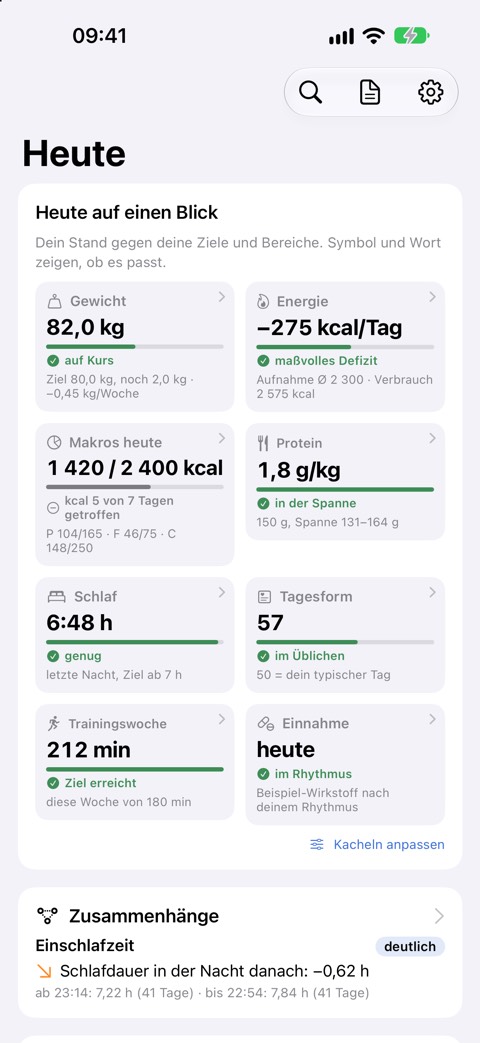
- Daily tiles: Sleep, recovery, weight trend, protein, macros, last workout, training week, strength and symptoms; tap to jump to the matching card.
- Readiness: From HRV, resting heart rate and sleep, compared with your own normal range.
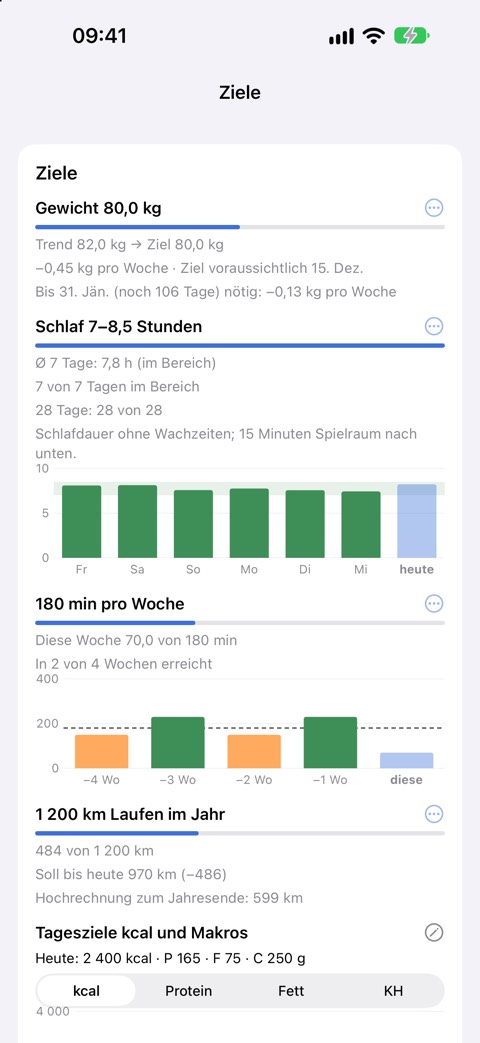
- Goals: Weight, sleep, protein, training minutes, yearly distance, each with a small history; set right from the cards.
- Daily targets per weekday: kcal, protein, fat and carbs, different on training days if you like; hits per day.
- Weekly review and personal bests: Every Monday, what changed against the previous week; new bests are announced.
Patterns: what goes together for you
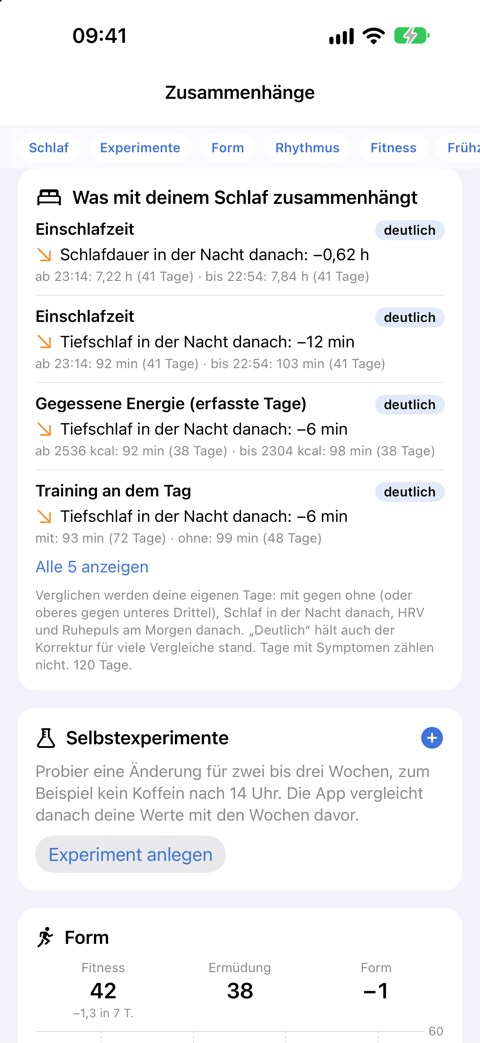
- Your patterns: What goes with your sleep, HRV and resting heart rate (late training, alcohol, daylight, food …). Only what passes a statistical test with correction for many comparisons is shown.
- Recovery by sport and weekday: After which workout you recover fastest, which weekday is your best.
- Sleep rhythm: Regularity and the weekend shift.
- Self-experiments: For example no caffeine after 2 pm: after two or three weeks, a comparison with the weeks before.
- Combined deviation: When resting heart rate, HRV, breathing rate or skin temperature leave your usual range together, shown as a note without interpretation.
- Mood and mindfulness: Mood from Health, frequent feelings, mindful minutes and daylight per day.
History: charts over days to years
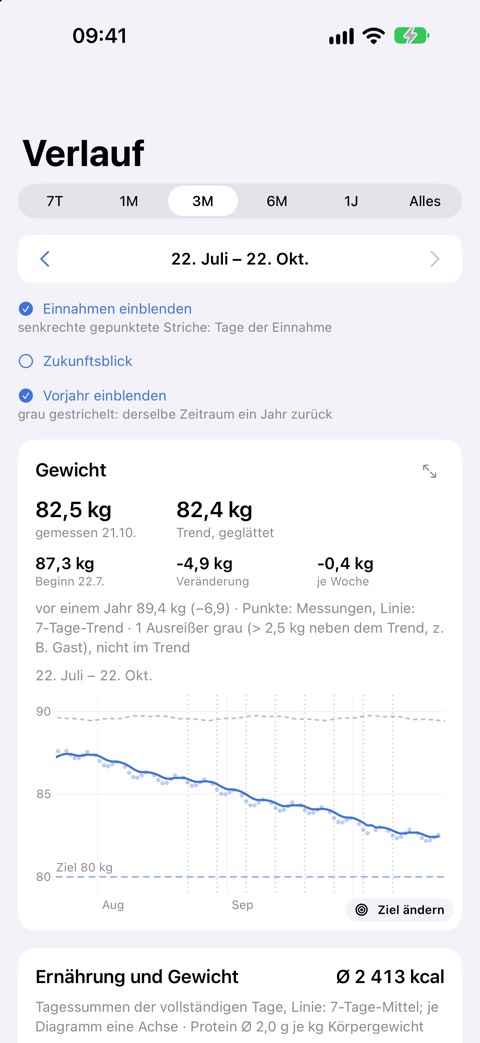
- Weight with trend: A smoothed trend instead of daily swings, with an outlook towards your goal.
- Nutrition: Calories and macros per day with your daily targets.
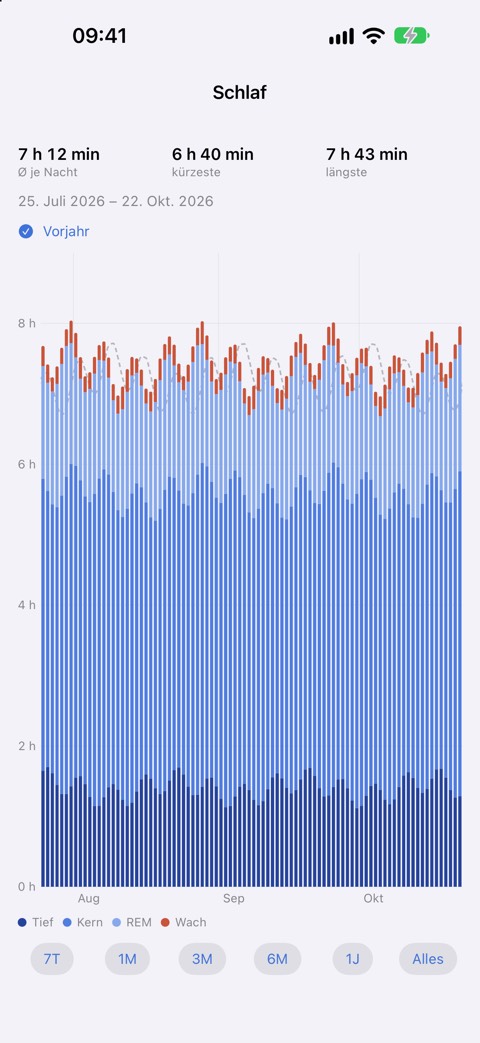
- Sleep, heart, activity: Sleep stages, resting heart rate, HRV, steps, blood pressure, oxygen saturation; comparison with the previous year.
Training
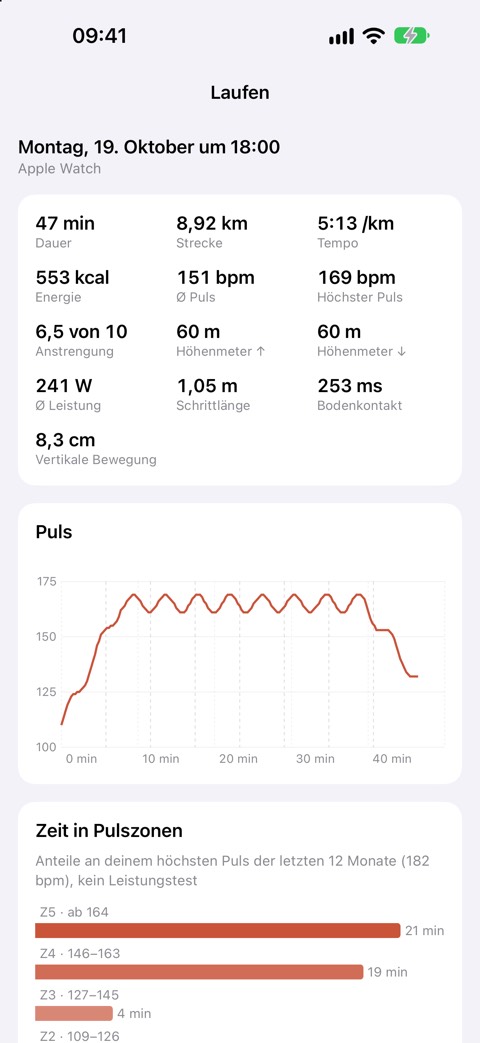
- Workout details: Heart rate, zones, route, running, cycling and swimming metrics.
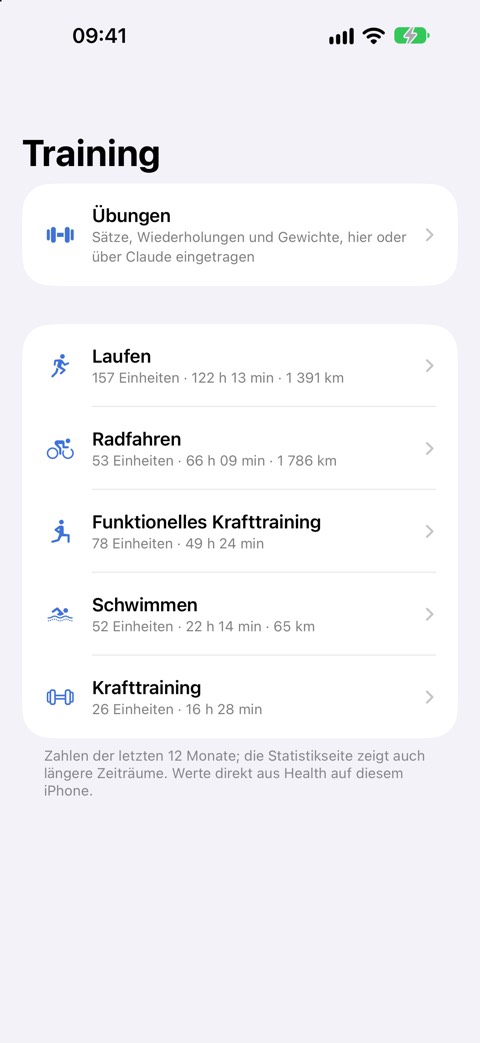
- Statistics per sport: Weeks, months, years, with the previous year.
- Form model: Fitness, fatigue and form from your training heart rate.
- Exercises and strength: Sets, reps, weight, hold time or distance; bests per exercise, best time per distance; searchable catalogue; dictate to Claude.
- Training mix: Minutes per week by strength and easy, moderate, hard endurance, against the same weeks last year.
- Notification after training: A short summary as soon as the workout is in Health.
Body
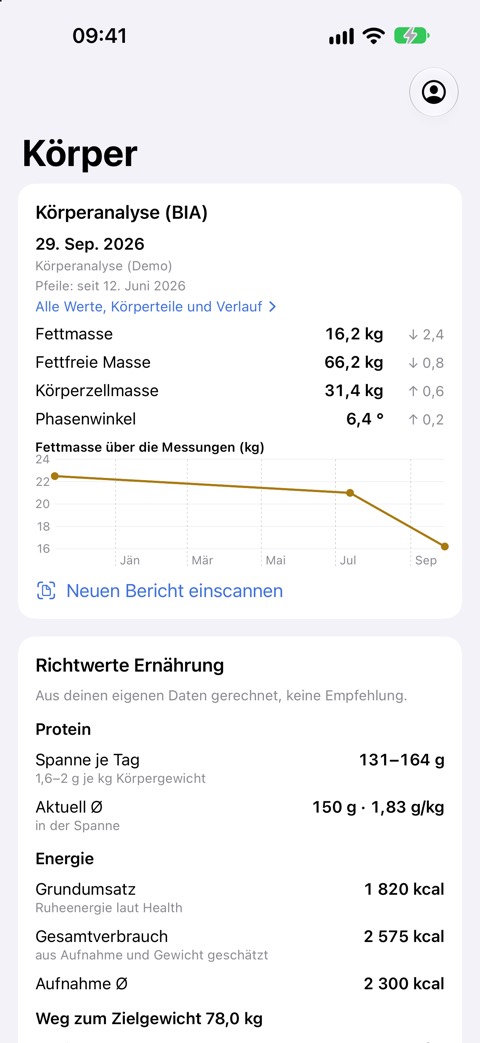
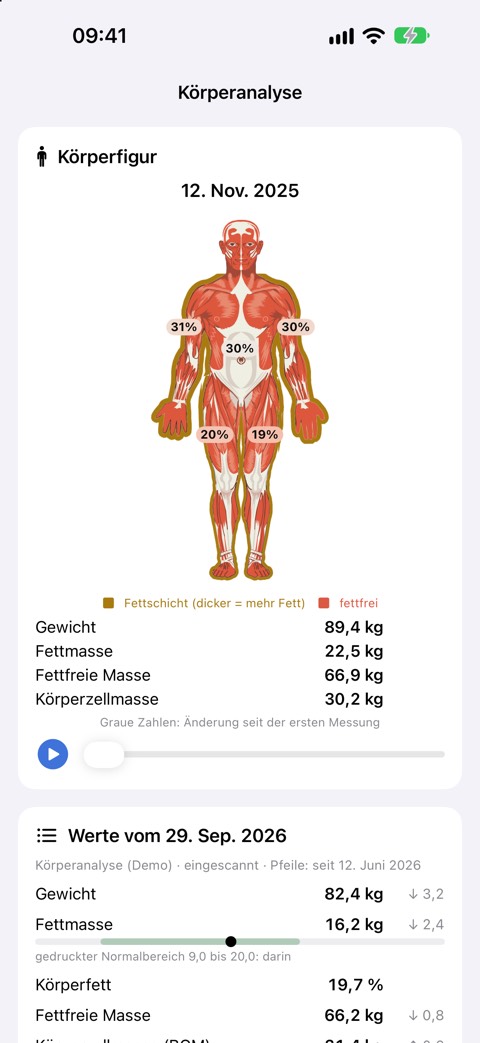
- Body composition: Fat, muscle and lean mass, water and values per body part from a measurement report, scanned or entered by Claude.
- Scale export: Extra values like visceral fat, muscle, bone and water mass from your scale's data export (currently Withings).
- Energy balance and reference values: Eaten versus burned; basal metabolic rate and protein needs from weight and lean mass, with the formula.
Health
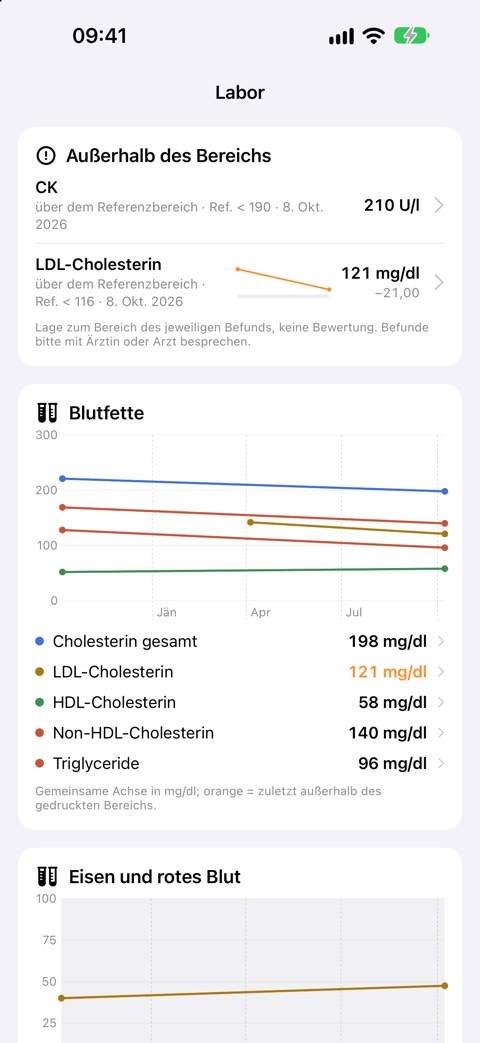
- Lab results: Read a report from a photo or PDF: the values are read on the iPhone and checked by you before saving. Groups like blood lipids or iron, “out of range” first, “What does this measure?”, history per value and your everyday life around each report.
- Symptoms, intakes, cycle: Symptoms with severity and course, medications and supplements, cycle phases next to sleep and recovery.
- PDF report: 30, 90 or 180 days compared with the period before, to take to your doctor or coach.
With Claude and ChatGPT
- Connect in a minute: Tap “Connect” in Claude or ChatGPT, confirm in the app with Face ID, no password.
- Ask in your own words: “How did I sleep this week?”, “What goes with deep sleep for me?”, “Compare the last 4 weeks with the 4 before.”
- Log by chatting: Symptoms, workouts with exercises, goals, daily targets, lab results, body composition, experiments. Writing can be switched off when connecting.
- Charts in the conversation: Charts of weight, sleep and training right in the answer.
Widgets and notifications
- “Energy” widget: Today, yesterday or 7 days: eaten, burned, macros against the daily target with a visible target range.
- “Today” widget: The most important tiles on your home screen.
- Notifications: Anomalies, weekly review, milestones and after training; each can be switched off.
- Fast start: The last state right away when you open the app, then quietly refreshed.
Feedback
- Feedback in the app: Bug, idea or question with a screenshot straight to the developers; the reply shows up in the app, with a notification.
- Also via Claude: “Send the developers this idea …”: Claude submits it and later shows you its status.
Private
- EU server, separated per account: No ads, no analytics services, no health values in logs.
- Consent per data type: New data types only after your consent; in Health you share each type separately.
- Export and delete: Export everything as a file, delete the account in one step.
- Account without email: Start right in the app; secure it with Apple, a passkey or an email code.
- Reports stay on the iPhone: Photos and PDFs of lab and body composition reports are read on the device only; only the numbers are stored.
- English and German: App, website and answers to Claude in both languages.
Details in the privacy policy.
Home page with setup guide · Help
Not a medical device: the app shows data and trends and makes no diagnoses. For health questions, please see a doctor.